
Build a Garden Tower Controls
The keybinds and HUD that actually move cash-per-second — mapped for every platform.
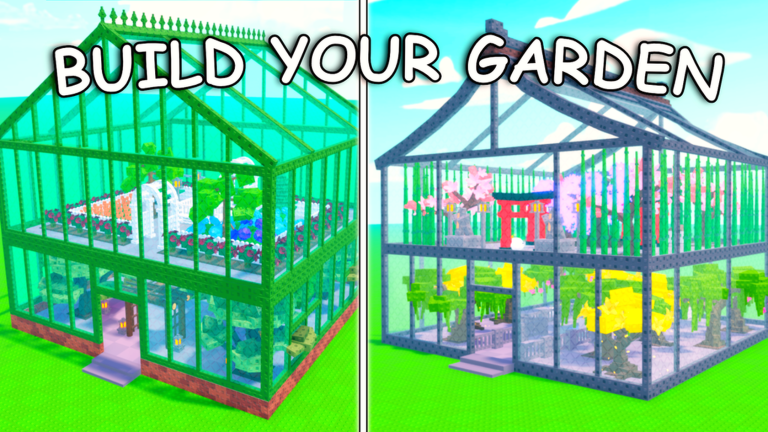
Build a Garden Tower is a six-player Roblox tycoon, not a combat game and not an obby. The control scheme is the standard Roblox kit plus a handful of greenhouse prompts: shop, plant, collect, sell, forage, upgrade, and redeem. This page is the platform map. For the first-hour order of those verbs, use Getting Started. For what the HUD numbers mean, stay on how to play.
The experience is listed for PC, phone, tablet, and console. The loop does not change. Only how you hit the prompts changes. If a video shows placing units on a path, you are watching Garden Tower Defense — close it and come back here.
Movement (all platforms)
| Action | PC | Mobile / tablet | Console |
|---|---|---|---|
| Move | WASD | Left joystick | Left stick |
| Jump | Space | Jump button | A / Cross |
| Camera | Right mouse or trackpad | Drag | Right stick |
| Interact / collect | Click the prompt or E if bound | Tap the prompt | Interact / X |
| Open Roblox menu | Esc | Roblox button | Menu button |
Jump is almost never required on a well-laid floor. If you are jumping through glass to collect, the layout is the problem, not the bind — see tower upgrades and keep a walking lane.
Speed Coil only raises walk speed. It does not add a sprint key. Buy it after the greenhouse is tall enough that walking between plots wastes harvest time. The game pass catalog lists the live Robux price.
HUD you should bind your eyes to
You do not need a custom UI. Watch four numbers:
- Cash — spendable pile. Goes up when you sell.
- Cash-per-second — the only honest progress metric. If a purchase does not move it, you bought a decoration or a plant that is still growing.
- Storage — fruit, forage finds, and crate contents share a cap. A full bar is why rares vanish. Details on crates and storage.
- Shop / restock timer — when the cheap row refreshes. Do not camp the shop on minute three of a new account.
Passes sit on the store tab: Auto Collect Fruits (FOREVER) at 99 Robux (two-minute tick), x2 Forage Luck at 199, +200 Storage at 49, Speed Coil at 9. Those prices were live on 7 September 2026; the in-game store wins if they move.
Shop, plant, collect, sell
Shop. Open the store or seed tray from the left or top HUD. Buy a plant you can afford and have a plot for. Rotate the model if it clips a walkway. Clipping is cosmetic until it blocks the collect prompt.
Plant. Empty glass is wasted rate. Fill every plot before you theme a roof. The starter plants page is the buy order for floor one.
Collect. Walk into fruit or tap the collect prompt. Without Auto Collect you must physically harvest. With the pass, fruit ticks every two minutes while you stay in this experience — not while you are in another Roblox game, and not while the app is fully closed. Auto Collect does not sell.
Sell. Convert fruit to cash at the sell prompt or NPC the tutorial first sent you to. Bind this as a habit, not a panic when storage is yellow. The money guide is the longer version of that sentence.
Forage and crates (the two RNG buttons)
Forage is a luck roll around your garden. There is no separate forage keybind beyond the world prompt. Walk edges, water features, and marked nodes after you sell. x2 Forage Luck doubles that roll; it does not add a menu. Full storage = wasted walk. The dedicated loop is on foraging.
Crates are the other official money line: “Max out your crates and make money.” Open them from the inventory or crate UI when storage is under about half. Opening ten boxes into a full bar is how a rare never existed. Pair this page with crates and storage.
Codes box
Codes are redeemed inside the experience. Open Shop or Settings, find the Codes field, paste exactly, claim. Never type a string into Google or a Discord bot. The how to redeem page is the failure-mode list. As of 7 September 2026 the codes hub still has no independently verified public string — that is a fact, not a missing screenshot.
Mobile and console notes
Play mobile in landscape when placing plants. Portrait hides the storage bar and makes the shop feel like a wall of icons. Turn off extra Roblox thumbsticks if they cover the sell prompt.
On console, bind shop-close to a face button you can hit without dropping the camera. Redeeming a code with a virtual keyboard is slow; copy from this wiki on a second screen if you can. There is no gyro requirement and no aim-assist — this is not a shooter.
Voice chat is not listed as supported on the experience page. Chat and emotes are enough to ask where the shop is. Other players cannot harvest your fruit. If someone is standing on a prompt, hop servers; there is no combat bind to “win” the plot.
Pause, save, leave
Leave through the Roblox menu. Progress saves on the account. If you rejoin to an empty lot, you entered a namesake (Garden Tower obby, Grow a Garden Tower, Garden Tower Defense). Confirm the creator is Evil Penguinz and the place ID is 115035699922620.
When the binds feel automatic, go back to the Guides Hub and pick the stall you actually have: cash, plots, rares, or storage. Controls do not print money. Using them on a full greenhouse does.
Frequently Asked Questions
Quick answers to the most common questions.
What are the PC controls?
WASD to move, Space to jump, mouse to look, click or E to collect and interact. Shop, sell, forage, and codes are HUD prompts, not extra keys.
Does Auto Collect need a hotkey?
No. Auto Collect Fruits (FOREVER) ticks every two minutes while you stay in the experience. You still sell manually.
Why can't I forage on mobile?
The prompt is easy to miss in portrait and when storage is full. Rotate to landscape, sell first, then walk the plot edges.
Is there a sprint key?
No. Speed Coil raises walk speed as a pass. There is no default sprint bind.